不能调用 GPU
1. 检查 GPU 使用情况
首先在终端执行如下命令,查看当前 GPU 状态:
nvidia-smi
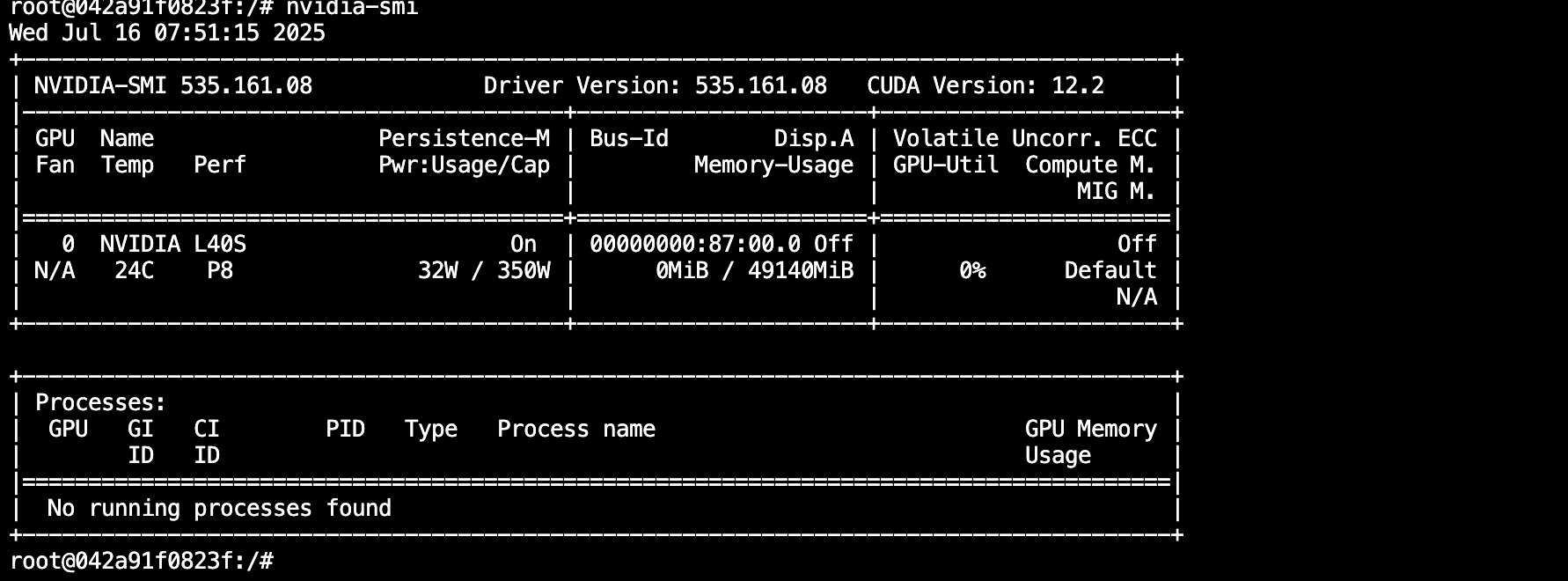
如上图,红框分别为显存占用和 GPU 使用率。
-
显存无占用:
- 可能原因:安装的 AI 框架为 CPU 版本。
- 检查方法:
-
PyTorch:
import torch
print(torch.__version__)
版本号中带
cu字样为 CUDA 版本,否则为 CPU 版本。建议:使用 pip 安装 PyTorch,去掉
-f参数可走国内源,速度更快。 -
TensorFlow:
import tensorflow as tf
sys_details = tf.sysconfig.get_build_info()
print(sys_details["cuda_version"])
下图为 CUDA 版本示例:

-
-
显存有占用,GPU 占用率不为 0 且波动:
- 说明 GPU 正常被使用,可参考平台文档优化程序提升利用率。
-
显存有占用,但 GPU 占用率一直为 0:
- 可能原因:
- 安培架构 GPU(如 30 系列、A40、A100、A5000 等)需使用 CUDA 11.X 及以上版本。
- 代码未真正调用 GPU,仅 import 框架或构建网络时分配了显存。
- 验证方法:
- 若上述代码执行无异常但 GPU 仍无占用,可进一步测试:
- PyTorch:
import torch
print(torch.__version__)
torch.rand(1, device="cuda:0") - TensorFlow:
import tensorflow as tf
with tf.device('/gpu:0'):
    a = tf.constant([1, 2, 3, 4, 5, 6], shape=[2, 3])
    b = tf.constant([7, 8, 9, 10, 11, 12], shape=[3, 2])
    c = tf.matmul(a, b)
    print(c)
- PyTorch:
- 若上述代码执行无异常但 GPU 仍无占用,可进一步测试:
- 可能原因:
2. 常见报错及处理
RuntimeError: CUDA error: no kernel image is available for execution on the device- 说明:当前 GPU 需更高版本 CUDA 框架。
RuntimeError: The NVIDIA driver on your system is too old- 说明:CUDA 版本高于机器支持,请更换高版本机器。
- 其他报错:请联系客服协助处理。