Unable to Use GPU
1. Check GPU Usage
First, run the following command in the terminal to check the current GPU status:
nvidia-smi
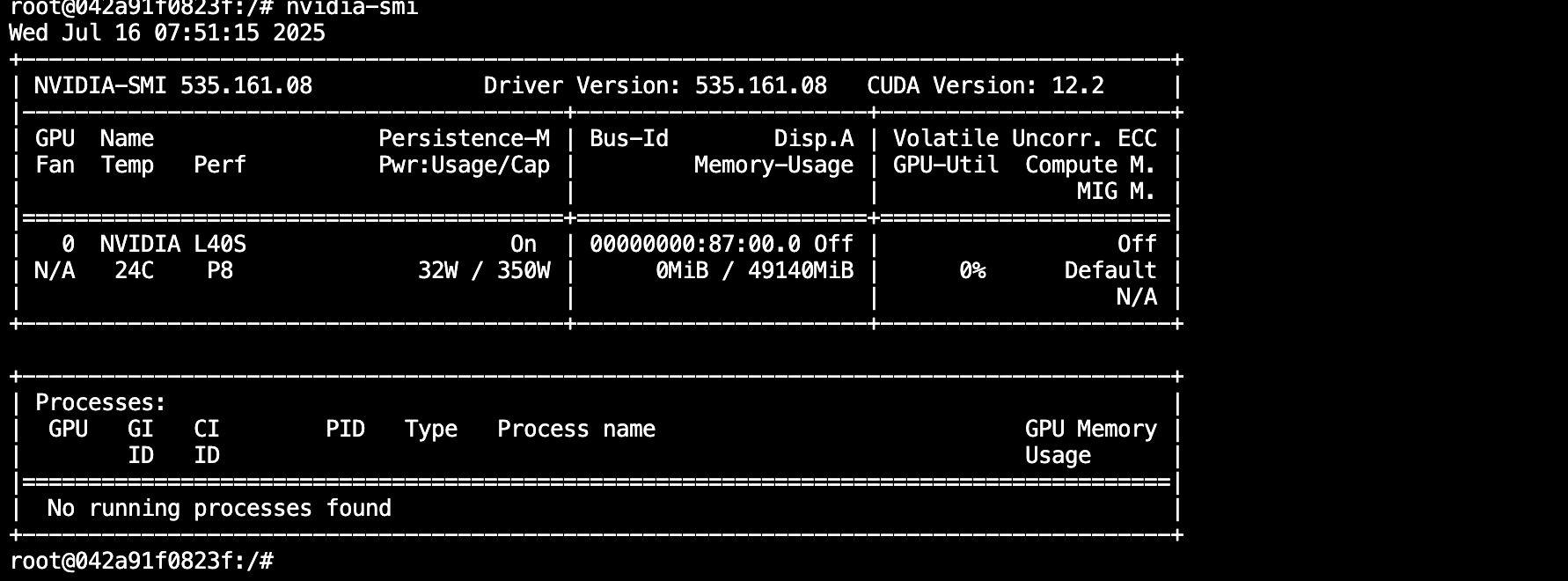
As shown above, the red boxes indicate memory usage and GPU utilization.
-
No memory usage:
- Possible reason: The installed AI framework is the CPU version.
- How to check:
-
PyTorch:
import torch
print(torch.__version__)
If the version contains
cu, it is a CUDA version; otherwise, it is a CPU version.Tip: When installing PyTorch with pip, removing the
-fparameter allows using domestic mirrors for faster speed. -
TensorFlow:
import tensorflow as tf
sys_details = tf.sysconfig.get_build_info()
print(sys_details["cuda_version"])
Example of a CUDA version:

-
-
Memory is used, GPU utilization is not zero and fluctuates:
- Indicates the GPU is being used normally. Refer to the platform documentation to optimize your program for better utilization.
-
Memory is used, but GPU utilization is always zero:
- Possible reasons:
- Ampere architecture GPUs (e.g., 30 series, A40, A100, A5000, etc.) require CUDA 11.X or above.
- The code does not actually use the GPU; only importing the framework or building the network allocates memory.
- How to verify:
- If the above code runs without errors but the GPU is still not used, further test with:
- PyTorch:
import torch
print(torch.__version__)
torch.rand(1, device="cuda:0") - TensorFlow:
import tensorflow as tf
with tf.device('/gpu:0'):
    a = tf.constant([1, 2, 3, 4, 5, 6], shape=[2, 3])
    b = tf.constant([7, 8, 9, 10, 11, 12], shape=[3, 2])
    c = tf.matmul(a, b)
    print(c)
- PyTorch:
- If the above code runs without errors but the GPU is still not used, further test with:
- Possible reasons:
2. Common Errors and Solutions
RuntimeError: CUDA error: no kernel image is available for execution on the device- Explanation: The current GPU requires a higher version of the CUDA framework.
RuntimeError: The NVIDIA driver on your system is too old- Explanation: The CUDA version is higher than what the machine supports. Please switch to a machine with a newer version.
- Other errors: Please contact customer service for assistance.