Insufficient System Disk Space
Note: Files deleted with the
rmcommand cannot be recovered. Please operate with caution.
How to Check System Disk Usage
First, you need to find out which directory is occupying the system disk space. If you are not sure what the system disk is, please refer to the platform help documentation.
You can use the following command to check the usage of the system and data disks:
source ~/.bashrc
Recommended Directories to Clean First
The following two directories can be deleted directly without affecting system operation. It is recommended to clean them first:
du -sh /opt/miniconda3/pkgs/ && rm -rf /root/miniconda3/pkgs/*      # Conda package cache
 du -sh /root/.local/share/Trash && rm -rf /root/.local/share/Trash   # JupyterLab recycle bin
If not enough space is freed, check the following directories:
du -sh /tmp/         # Check /tmp space usage
du -sh /root/.cache  # Check /root/.cache space usage
Normal Cleanup Steps
- Check the space usage of files and directories. Files in the system/root directory usually do not take up much space. Focus on directories or large files you created.
Check File Size
Use the ls -alh command to check file sizes. Note that the size shown for a folder is only the folder itself, not its contents.
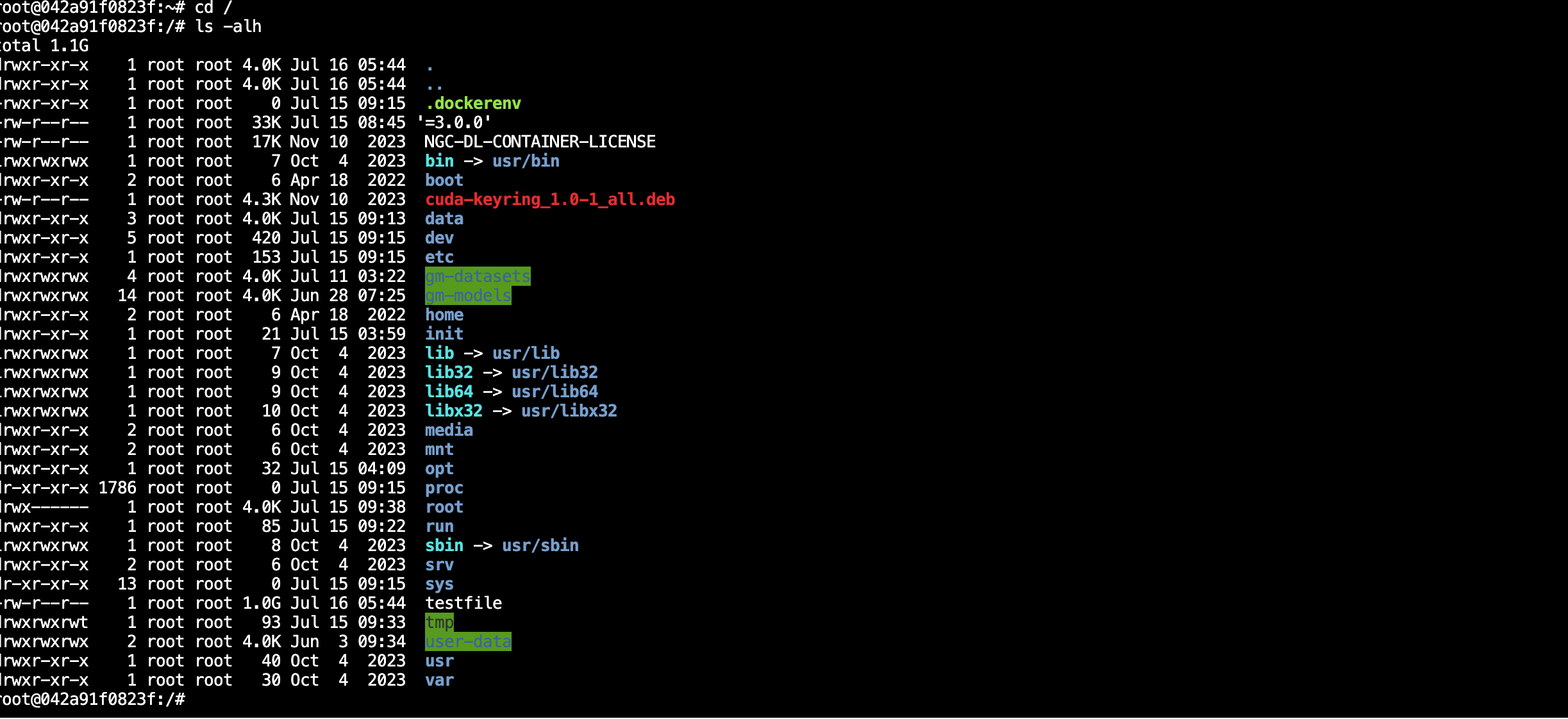
Check Folder Size
Use du -sh foldername to recursively count the total size of all files in the folder.

Delete Files/Folders
Use rm -rf path to delete unnecessary files or folders and free up space.
Special Directories That Do Not Occupy System Disk Space
The following directories are data disks or shared disks on the aifare platform and do not occupy system disk space:
- /ai-models
- /ai-datasets
- /user-data
Data Disk Cleanup
After entering the data disk directory, repeat the above cleanup steps:
cd /data
The most common reason for data disk space usage is an uncleared trash bin. Check the /data/.Trash-0 folder. After confirming it is not needed, use rm to delete it.
Full Cleanup (Data Cannot Be Recovered)
- Data Disk: Run
rm -rf /data/*to delete all files on the data disk (note: hidden files .xxx cannot be deleted this way).